Transferring a call to reception, finding a contact or staying reachable in a workshop requires different equipment. We are preparing the terminals Yealink with the telephone standard, SIP accounts and network. An IP phone is an element of the solution: numbers, queues and referrals are also to be arranged. The choice of a terminal is therefore made from the path of the call.
Yealink is a solution selected by Alltech. This focus presents the products and their integration into your environment.
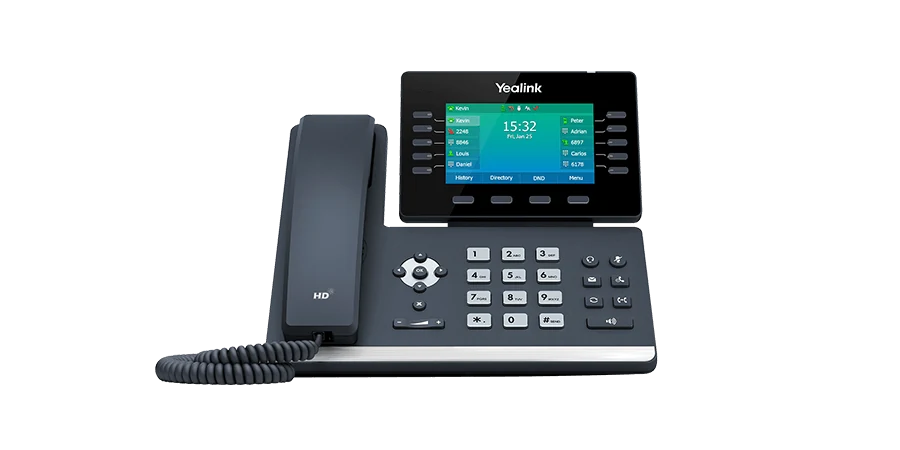
The T54W is an IP phone with adjustable color screen, integrated Bluetooth and Wi-Fi. It is suitable for the study of a position where the user handles several calls and contacts. The power supply, any headset and the useful keys are prepared with the switchboard configuration.
To be prepared: transfers, supervision, helmet and network available.
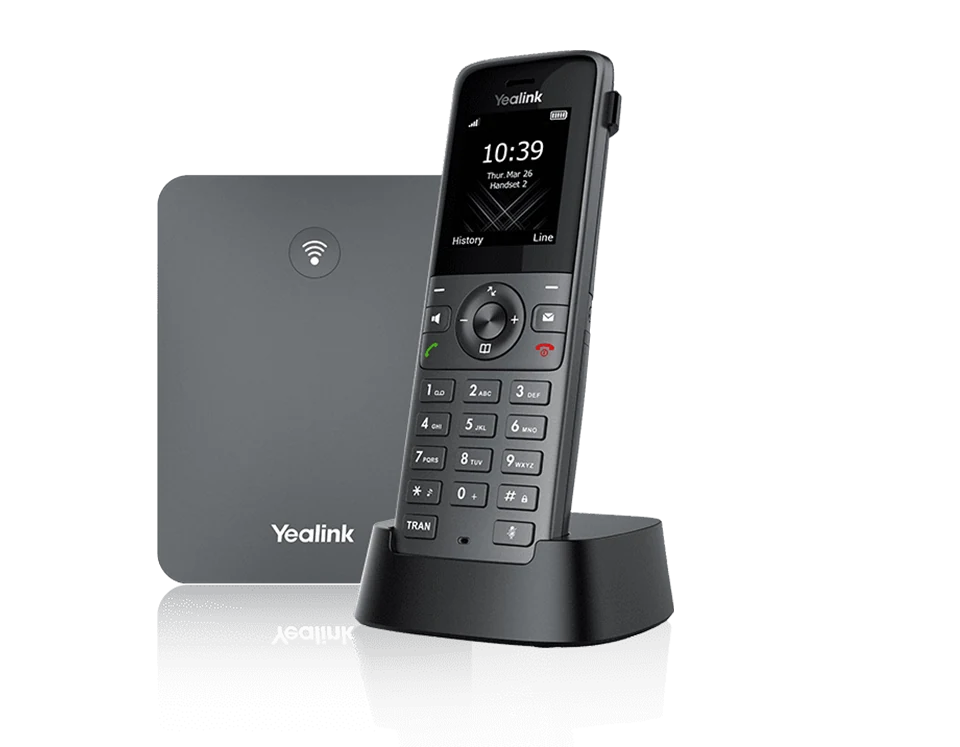
The W73P combines an IP base and a DECT handset. The handset communicates with its base by radio; the base joins the telephone network. Coverage must be checked in the spaces actually covered, with their walls, floors and work areas.
To be prepared: travel route, coverage and simultaneous calls.
Visuals and denominations: Yealink. Presentation of the ranges consulted on October 18, 2026; references, options, licenses, terms of service and availability are confirmed in your proposal.
It depends on the service and available settings. You need a compatible telephone service and a suitable configuration; the network connection alone does not provide a line.
Are DECT and Wi-Fi equivalent?
These are separate radio modes. A DECT handset uses its compatible base; satisfactory Wi-Fi coverage does not prove DECT coverage.